When it comes to keeping your home or business safe, you know that a reliable security system is paramount. And at the heart of many modern security setups are those ever-watchful eyes: your security cameras. But what happens when one of those eyes goes dark, or starts acting strangely? You need to know that you can count on expert help right here in Brooklyn, NY. Secure 360 understands that the peace of mind that comes with a functioning security system is non-negotiable. They’ve been serving Brooklyn, Queens, and the wider NYC area for over 15 years, providing top-tier security solutions and, crucially, the support you need when things go awry. This guide is designed for you, the resident of this vibrant city, to help you navigate the complexities of security camera repair and troubleshooting, ensuring you’re always in the know about how to get your system back to its best.
You’ve invested in your security, and the last thing you want is a camera that’s not performing. It’s a common scenario, and thankfully, many issues are solvable with a bit of know-how and the right assistance. Secure 360’s extensive experience means they’ve seen it all, and can help you identify and address a wide range of problems that might affect your visual surveillance.
Pixelated or Distorted Images
You check your feed, and instead of a clear picture, you’re met with a blurry mess. This can be incredibly frustrating, rendering your camera useless for identifying activity.
Loose Cable Connections
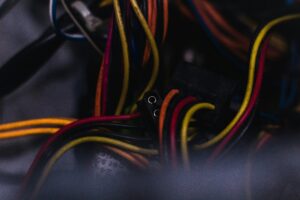
The simplest explanation is often the correct one. A camera’s video feed relies on a stable connection. Over time, vibrations, accidental bumps, or even environmental factors can loosen the cables that transmit the video signal.
Actionable Steps
- Inspect physical connections: Gently, but firmly, ensure that all cables leading to and from the camera are securely plugged in. This includes both the power cable and the data cable (often an Ethernet cable for IP cameras).
- Check for damage: Look for any visible wear and tear on the cables. Frayed insulation or bent pins can indicate a problem that needs more than just reseating.
Lens Obstructions or Damage
Sometimes, the issue isn’t with the electronics but with what’s in front of the lens. Dust, dirt, spiderwebs, or even water droplets can significantly degrade image quality.
Actionable Steps
- Clean the lens: Using a soft, lint-free cloth (like those used for eyeglasses or camera lenses) and a gentle cleaner specifically designed for optics, carefully wipe the camera lens. Avoid abrasive materials.
- Check for physical damage: Inspect the lens for any cracks or deep scratches. If the lens itself is damaged, it will likely need to be replaced.
Infrared (IR) Light Interference
If your camera has night vision capabilities using infrared LEDs, these can sometimes cause issues if they are dirty or if something is blocking them.
Actionable Steps
- Clean IR LEDs: Just like the main lens, the small IR LEDs around the lens can accumulate dust. Gently clean them with a dry, soft cloth.
- Ensure no obstructions: Make sure no branches, leaves, or other objects are directly in front of the IR illuminators, as this can cause glare or hinder the night vision.
No Video Feed at All
This is perhaps the most alarming issue – a completely blank screen. When a camera is down, a significant gap exists in your security coverage.
Power Supply Issues
A camera needs power to operate. If it’s not receiving enough, or any, power, it simply won’t turn on.
Actionable Steps
- Verify power source: Ensure the power adapter is securely plugged into a working outlet. Test the outlet with another device if you’re unsure.
- Check the power cable: inspect the power cable for any damage. A broken or frayed cable will prevent power from reaching the camera.
- Examine the power adapter: If your camera uses a separate power adapter, ensure it’s the correct one for the camera’s voltage and amperage requirements.
Network Connectivity Problems (for IP Cameras)
For modern IP cameras, a stable network connection is just as vital as power. If the network is down, the camera can’t send its feed.
Actionable Steps
- Restart your router/modem: A simple power cycle of your network equipment can often resolve temporary glitches.
- Check Ethernet cables: Ensure all Ethernet cables are properly seated at both the camera and the network switch or router. Look for any bent pins or damaged connectors.
- Verify IP address assignment: If you’re comfortable with your network settings, you can check if the camera is receiving an IP address. Secure 360 can assist with this if needed.
Camera Malfunction
In some cases, the camera itself may have failed due to internal component issues or age.
Actionable Steps
- Isolate the camera: Try connecting the camera to a different known working port or power source to rule out issues with those components. If it still doesn’t work, the camera itself is the likely culprit.
For those interested in enhancing the security of their commercial buildings, understanding the importance of access control systems is crucial. A related article on this topic can be found at Access Control Installation for Commercial Buildings, which delves into the various types of access control solutions available and how they can complement security camera systems. This resource provides valuable insights for anyone looking to improve their overall security infrastructure.
Advanced Troubleshooting for IP Cameras
IP cameras have revolutionized security with their advanced features and flexibility. However, their reliance on networks means troubleshooting can sometimes involve more complexity. Secure 360’s expertise in the latest technology, including IP security cameras, ensures you get the right help for these advanced systems.
Motion Detection Not Triggering
You’ve set up motion detection, but it’s not consistently flagging events, leaving you to wonder if you’re missing something.
Sensitivity Settings
The motion detection sensitivity is crucial. Too low, and it won’t pick up movement; too high, and you’ll get constant false alarms.
Actionable Steps
- Adjust sensitivity levels: Access your camera’s settings through its software interface or your Network Video Recorder (NVR). Experiment with different sensitivity levels.
- Configure detection zones: Many systems allow you to define specific areas within the camera’s view where motion should be detected. This helps ignore irrelevant movement like swaying trees.
Software Glitches or Firmware Issues
Sometimes, the software that manages the camera’s functions can develop bugs or require an update.
Actionable Steps
- Restart the camera and NVR: A simple reboot can often clear temporary software glitches.
- Check for firmware updates: Secure 360 can help you determine if your camera’s firmware is up-to-date. Outdated firmware can lead to unexpected behavior.
Environmental Factors
Even with correct settings, environmental elements can interfere with motion detection accuracy.
Actionable Steps
- Consider lighting changes: Rapid changes in lighting, like headlights or shadows, can sometimes trigger motion detection. Adjusting the sensitivity or detection zones can help.
- Beware of reflective surfaces: Highly reflective surfaces can sometimes cause false triggers.
Connection Intermittency
Your camera feed drops out periodically, making it unreliable for continuous monitoring.
Network Congestion
Too many devices on your network can lead to bandwidth issues, causing drops in your camera feed.
Actionable Steps
- Review network usage: Identify other devices that might be consuming significant bandwidth (e.g., large downloads, streaming services).
- Consider a dedicated network: For larger systems, a dedicated network for your security cameras can alleviate congestion.
Wireless Interference (for Wi-Fi cameras)
If you’re using Wi-Fi cameras, they are susceptible to interference from other wireless devices or physical obstructions.
Actionable Steps
- Minimize obstructions: Walls, large metal objects, and even aquarium water can weaken Wi-Fi signals.
- Reduce interference: Other Wi-Fi networks, microwaves, and Bluetooth devices can cause interference. Consider changing Wi-Fi channels or moving devices.
- Use a Wi-Fi extender or mesh system: For larger areas or areas with weak signal strength, these can improve connectivity.
Faulty Network Cables or Connectors
Even for wired connections, damaged cables or connectors can cause intermittent drops.
Actionable Steps
- Inspect and replace: Carefully examine all Ethernet cables for damage. If any are suspect, replace them with new, high-quality cables.
- Check crimping: Ensure the connectors (RJ45 plugs) are properly crimped onto the cables.
Repairing and Replacing Damaged Components
When troubleshooting points to a faulty component, knowing whether to repair or replace is key. Secure 360 has the experience to guide you through these decisions.
Camera Hardware Failures
Sometimes, the camera itself is the source of the problem.
Age and Wear
Like any technology, cameras have a lifespan. Over time, internal components can degrade and fail.
Actionable Steps
- Professional assessment: Secure 360 can assess the age and condition of your camera to determine if replacement is the most cost-effective and reliable solution.
- Consider upgrades: If your camera is old, it might be an opportunity to upgrade to a model with newer features and better performance.
Environmental Damage
Extreme weather, moisture, or physical impact can damage camera hardware, even if they are designed for outdoor use.
Actionable Steps
- Inspect for physical damage: Look for cracks in the casing, water ingress, or signs of impact.
- Professional inspection: Secure 360 can carefully examine the camera for internal damage that may not be immediately visible.
DVR/NVR Issues
Your Digital Video Recorder (DVR) or Network Video Recorder (NVR) is the brain of your recording system. If it’s struggling, your entire system is compromised.
Hard Drive Failures
The hard drive stores your recorded footage. When it fails, you lose your recordings and the ability to store new ones.
Actionable Steps
- Listen for unusual noises: A failing hard drive may make clicking or grinding noises.
- Check system status: Your DVR/NVR interface will often indicate if the hard drive is experiencing issues. Secure 360 can diagnose and replace faulty hard drives.
Power Supply Unit (PSU) Problems
A faulty power supply unit will prevent the DVR/NVR from powering on or operating correctly.
Actionable Steps
- Observe power indicators: If the unit doesn’t power on at all, or if indicator lights are behaving erratically, a PSU issue is possible.
- Professional diagnosis: Secure 360 specializes in diagnosing and replacing these critical components.
overheating
If your DVR/NVR is not adequately ventilated, it can overheat, leading to performance issues or complete failure.
Actionable Steps
- Ensure proper ventilation: Make sure the unit has ample space around it for airflow and that any cooling fans are functioning and clean.
- Clean dust buildup: Regularly cleaning dust from vents and fans can prevent overheating.
When to Call the Professionals at Secure 360
While some basic troubleshooting is within your reach, there are definitely times when bringing in the experts is the smartest move. For residents of Brooklyn, Queens, and NYC, Secure 360 is your go-to for reliable security camera repair and troubleshooting. With over 15 years of experience, they understand the unique needs of this city’s residents and businesses, offering fast, efficient, and effective solutions.
Complex System Integration Problems
When you have multiple cameras, different types of systems, or integrated smart home features, diagnosing issues can become very complicated.
Interconnecting Different Systems
Ensuring that your IP cameras communicate correctly with your NVR, and that your NVR integrates with your network and any alarm systems, requires specialized knowledge.
Why Professional Help is Essential
- Deep technical understanding: Secure 360 possesses the in-depth technical knowledge to diagnose complex integration issues that are beyond the scope of basic troubleshooting.
- Access to specialized tools: They have the diagnostic tools and software needed to pinpoint where communication breakdowns are occurring within your integrated security setup.
- Time and cost efficiency: Attempting to fix these issues yourself can be time-consuming and potentially lead to further damage, costing you more in the long run.
Security Vulnerabilities and Cyber Threats
With the rise of IP cameras, security against cyber threats is a growing concern. You need to ensure your system isn’t an easy target.
Unauthorized Access
The thought that someone could be accessing your camera feeds is a serious invasion of privacy and a major security risk.
Why Professional Help is Essential
- Expertise in network security: Secure 360 understands current cybersecurity threats and best practices for securing your network and your cameras against unauthorized access.
- Implementing strong passwords and encryption: They can help you set up robust security measures, including strong, unique passwords and encryption protocols, to protect your system.
- Regular security audits: They can perform security audits to identify and address potential vulnerabilities before they are exploited.
When Repairs Go Beyond Basic Fixes
Some problems require specialized tools, knowledge, or replacement parts that aren’t readily available to the average consumer.
Internal Hardware Component Issues
If a camera’s circuit board is damaged, or if a more complex electronic component within the DVR/NVR has failed, it’s not a DIY job.
Why Professional Help is Essential
- Access to replacement parts: Secure 360 has access to a wide range of genuine replacement parts for various security camera models and systems.
- Skilled technicians: Their technicians are trained to handle delicate electronic repairs and component replacements with precision.
- Warranty considerations: In many cases, attempting to repair complex internal components yourself can void any remaining manufacturer warranties. Professionals ensure repairs are done correctly and keep warranties intact.
If you’re experiencing issues with your security cameras, understanding the common problems and their solutions can be incredibly helpful. For a comprehensive guide on how to effectively troubleshoot and repair security camera systems, you might find this article on security camera installation particularly useful. It not only covers installation tips but also addresses various troubleshooting techniques that can help you maintain optimal performance of your surveillance equipment.
Proactive Maintenance and Future-Proofing Your Security
The best way to deal with security camera problems is often to prevent them from happening in the first place. Secure 360 doesn’t just fix issues; they help you build a resilient security system.
Regular System Checks and Updates
Like any technology, your security system benefits from ongoing attention.
Firmware and Software Updates
Newer firmware and software versions often contain bug fixes, performance enhancements, and crucial security patches. Secure 360 can ensure your system is always running on the latest, most secure software.
Benefits of Updates
- Improved performance: Updated software can make your cameras and recording devices run more smoothly and efficiently.
- Enhanced security: Regularly updating firmware is a critical step in protecting your system from emerging cyber threats.
- Access to new features: Updates can sometimes unlock new functionalities or improve existing ones, giving you more control and better insights.
Professional Installation and Configuration
The foundation of a reliable system is proper installation.
Optimal Placement and Wiring
Correct camera placement ensures clear views and minimizes blind spots, while professional wiring guarantees stable power and data connections. Secure 360’s expertise ensures your system is set up for maximum effectiveness from day one.
Why Professional Installation Matters
- Expert advice on camera selection: Choosing the right cameras for your specific needs and environment is crucial.
- Proper mounting and weatherproofing: Ensuring cameras are securely mounted and properly sealed against the elements extends their lifespan and maintains image quality.
- Streamlined wiring and cable management: Clean, organized wiring not only looks better but also prevents future issues caused by tangled or damaged cables.
Planning for System Expansion and Upgrades
As your needs evolve, your security system should be able to adapt.
Scalability and Technology Integration
Secure 360 can help you design a system that can be easily expanded with additional cameras or integrated with newer technologies as they become available. Their knowledge of the latest technology, like IP security cameras, ensures you’re always ahead of the curve.
Future-Proofing Your Investment
- Advising on compatible hardware: When you want to add more cameras or upgrade components, Secure 360 can recommend solutions that are compatible with your existing setup.
- Staying informed on industry advancements: They keep abreast of the latest advancements in security technology, allowing them to guide you towards the most effective and future-proof solutions.
When you’re in Brooklyn, Queens, or anywhere in NYC and facing issues with your security cameras, or simply want to ensure your system is functioning at its best, remember that Secure 360 is here to help. With over 15 years of dedicated experience in security systems installation, they offer peace of mind through their expertise and commitment to using the latest technology. Don’t let a faulty camera leave you vulnerable; reach out to them at (347) 309-4049 or visit them at 1005 E 19th St, Brooklyn, NY 11230. They are your reliable local partners in keeping your property secure and your mind at ease.